
Hands-on automation review
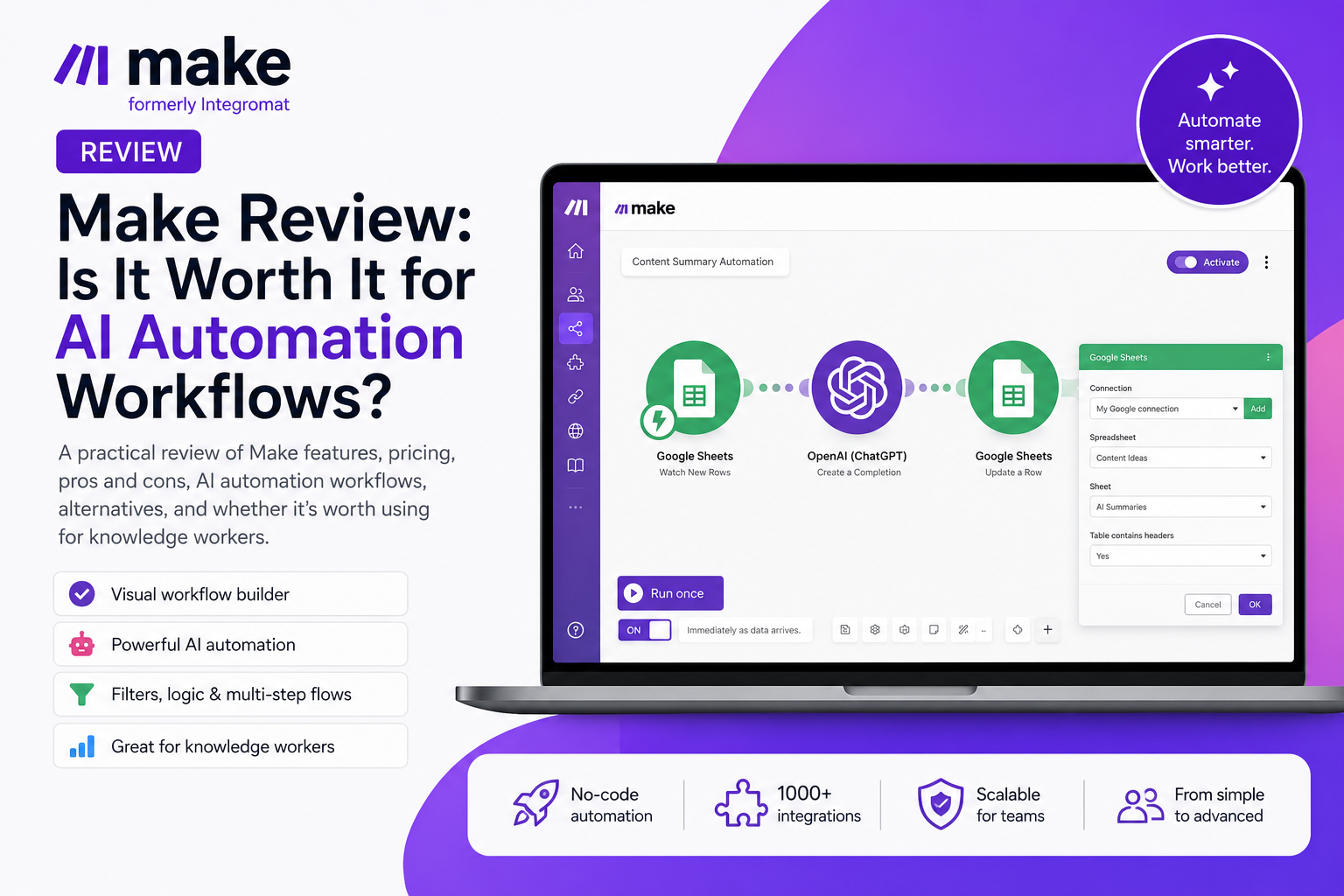
Make Review: Is It Worth It for AI Automation Workflows?
Make is a visual automation platform for connecting apps, spreadsheets and AI modules into repeatable workflows. Northryn tested a practical Google Sheets and AI workflow to see where Make feels strong, where complexity begins and who it is best suited to.
Quick verdict
Make is one of the strongest options if you want visual control without moving straight into developer tooling.
Make felt intuitive in our practical workflow and gave us clear visibility into how data moved between steps. Its main trade-off is that the same flexibility that makes it powerful also introduces more complexity as scenarios grow.
Best for
- Knowledge workers
- Operations and process improvement
- AI-assisted workflows
- Small teams needing visual control
Main limitation
Complexity grows with routers, branches, webhooks, APIs, error handling and larger-scale usage.
Make at a Glance
The strongest fit is users who want more control than simple linear automation without building custom software.
| Area | Northryn assessment | Fit |
|---|---|---|
| Visual workflow design | Clear scenario canvas with visible data flow and module relationships. | Strong |
| Ease of use | Approachable for basic workflows; more demanding as logic expands. | Moderate |
| AI workflows | Useful when AI is one step inside a wider repeatable process. | Strong |
| Integrations | More than 3,000 integrations currently advertised by Make. | Broad |
| Execution visibility | Good visibility into runs, module output and workflow activity. | Strong |
| Main trade-off | More control means more concepts to understand as scenarios grow. | Complexity |
What Is Make?
Make is easiest to understand as a visual layer between the apps you already use.
Trigger
Something happens: a new row, form response, email, file, schedule or webhook.
Logic
Make filters, routes, transforms or sends the data into AI or another tool.
Action
The workflow writes data, creates tasks, sends notifications or updates another system.
Who Is Make Best For?
Make is most useful when your work already moves repeatedly between several tools.
Knowledge workers
Repeated spreadsheet, document, AI, email and project-management workflows.
Operations teams
Status updates, handoffs, reporting, data cleanup and recurring process automation.
Content and editorial teams
Topics, briefs, summaries, metadata, publishing checklists and reporting.
Solo operators and small teams
Lightweight systems for leads, clients, research notes, documents and reporting.
Not the best fit if…
You only need one very simple automation, want zero learning curve, or require fully developer-controlled infrastructure.
Key Features That Actually Matter
These are the Make capabilities that had the most practical value in our testing.
Visual workflow builder
See the complete automation and how data moves between each step.
Clear workflow controlField mapping
Move data between apps without manually copying information.
Easy to mapFilters and conditions
Decide which data continues through the workflow and which should stop.
Practical logicAI workflow support
Insert AI generation or classification into a repeatable automation process.
Strong AI fitExecution history
Inspect what happened during each run when something needs checking.
Good visibilityScheduling
Run scenarios automatically at the frequency your workflow requires.
Easy automationOur Practical Test
We tested whether a knowledge worker could build a useful AI and spreadsheet workflow without coding.
Google Sheets → Status filter → AI summary → Write result back to Google Sheets
Testing conclusion
For a basic AI + spreadsheet workflow, Make felt intuitive and reliable. More advanced scenarios will require more deliberate design and monitoring.
A Realistic Make Workflow
A useful automation can be surprisingly simple: capture the input, apply logic, process it and move the work forward.
New item enters Google Sheets.
Structured inputMake picks up the new row.
Automatic triggerOnly ready items continue.
Clean logicAI summarizes or classifies.
Useful outputOutput returns to the sheet.
RecordedNotify or update another app.
Work moves forwardInput → Trigger → Filter → AI → Save → Action
Pros and Cons
Pros
- Visual and flexible builder
- Strong AI workflow fit
- Clear field mapping
- Useful filters and logic
- Readable execution history
- Broad integration ecosystem
Cons
- Complexity increases with branching
- Credits and frequency need monitoring
- Not always the simplest option
- Good automation requires process clarity
- Critical workflows still need testing
Pricing and Value
Make combines plan tiers with credit-based usage. The right plan depends more on actual workflow activity than headline feature count.
Start with Free
Best for testing Make and understanding your scenario before committing to paid capacity.
Upgrade when usage proves it
Move to Core, Pro or Teams only when credits, schedule frequency or collaboration needs justify it.
Important
Make credits are not directly comparable with Zapier tasks, Albato transactions, Pabbly tasks or n8n executions.
Best Make Alternatives
The best alternative depends on what you dislike or need more of.
Zapier
Better if you want the fastest guided setup for simple linear automations.
Albato
Better if you want straightforward workflows with a simpler feel.
n8n
Better for technical users who want deeper control and self-hosting options.
Pabbly Connect
Better if task economics matter more than having the smoothest setup experience.
Make vs Zapier
The choice is mostly about visual control versus guided simplicity.
| Criteria | Make | Zapier |
|---|---|---|
| Best fit | Visual, multi-step workflows | Simple linear automation |
| Learning curve | Moderate as workflows grow | Lower for basic automations |
| Workflow visibility | Strong visual canvas | Guided step sequence |
| Best when | You want flexible logic and control | You want speed and simplicity |
Common Mistakes
Automating a messy process
Clarify the manual workflow first.
Overbuilding scenarios
Simple workflows are easier to maintain.
Using AI where rules are enough
Deterministic logic is often more reliable.
Ignoring failures
Real data includes missing fields and broken connections.
Ignoring usage
Frequency and module activity affect credits.
Removing human review too early
Keep review where mistakes would matter.
Frequently Asked Questions
Is Make worth it?
Yes, if you have recurring workflows across several apps and want more visual control than simpler automation tools provide.
Is Make better than Zapier?
Make is generally stronger for visual multi-step workflows. Zapier is often easier for simple linear automations.
Is Make free?
Yes. Make has a Free plan suitable for testing basic scenarios before moving to paid capacity.
Is Make difficult to learn?
Basic workflows are approachable. Complexity increases with branching, APIs, webhooks and more advanced logic.
Can Make automate AI workflows?
Yes. In our test, Make used a Google Sheets input inside an AI step and wrote the generated result back to the sheet.
Does Make require coding?
No for basic workflows. Technical knowledge becomes more useful as workflows become advanced.
Final recommendation
Make is a strong choice when you want visual automation that can grow beyond simple app-to-app workflows.
It combines a clear visual builder, flexible logic, AI workflow support and useful execution visibility. Its main trade-off is increasing complexity as scenarios become larger and more technical.