
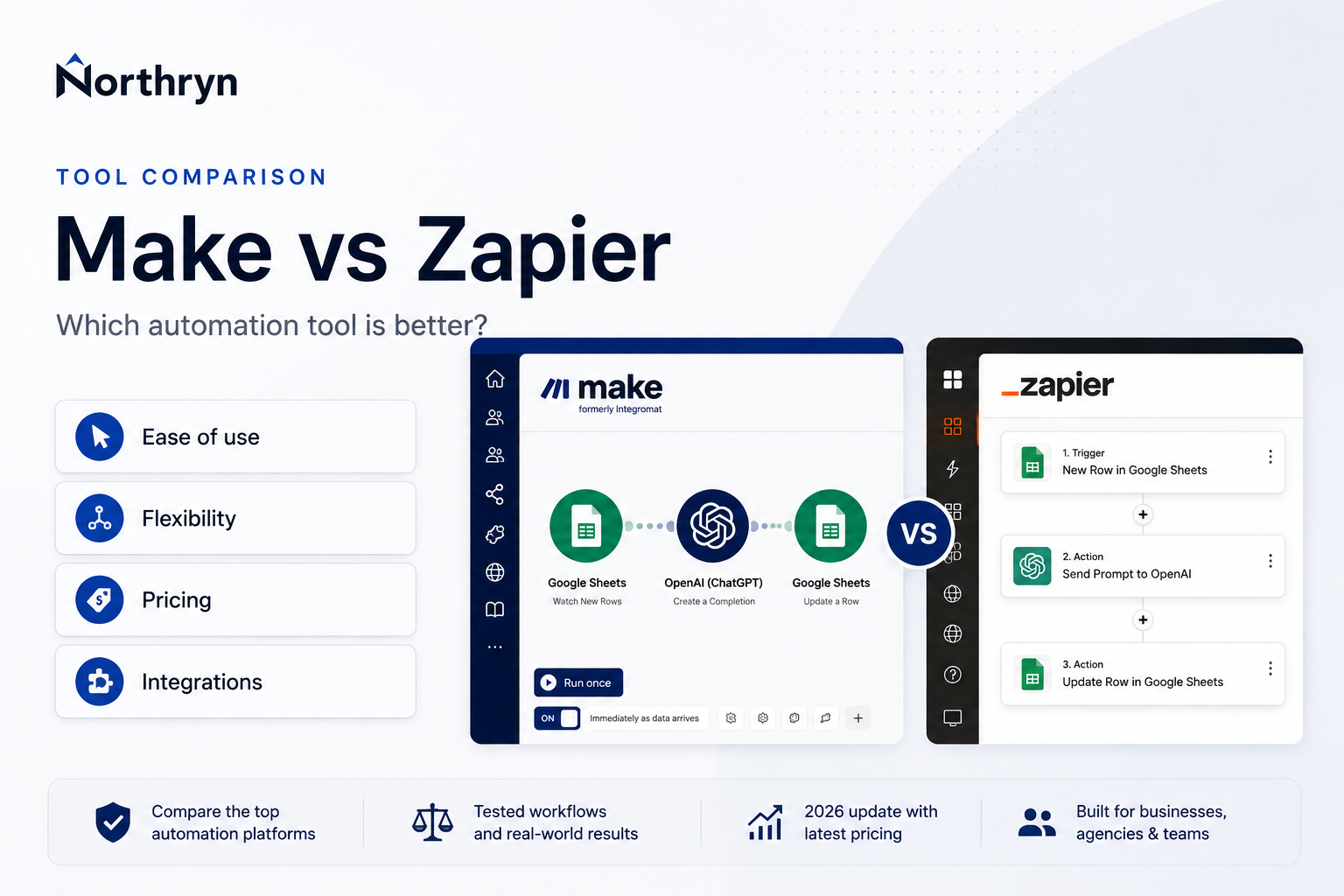
Hands-on automation comparison
Make vs Zapier: Which Automation Tool Is Better in 2026?
Zapier is easier to learn and connects to more apps. Make gives you more visual control, richer execution context and a lower advertised paid entry point when checked. We tested the same Google Sheets workflow in both platforms to see where those differences matter.
Affiliate disclosure: Some links in this comparison are affiliate links. Northryn may earn a commission if you register with Make through them, at no additional cost to you. Zapier is not currently an affiliate partner. Affiliate availability does not determine the conclusions below.
Hands-on testing completed: Northryn directly tested Google Sheets connectivity, workflow construction, field mapping, filters, outputs and a controlled error and recovery in both tools. Pricing, plan limits, integration counts and product features are kept separate from directly observed behaviour.
Quick verdict
Choose Zapier for simplicity. Choose Make for visual control and room to grow.
Zapier is the easier starting point if you want guided configuration, broad app coverage and straightforward automation. Make is the stronger choice if you expect more complex workflows, want to see the complete data route and value more granular execution visibility.
Choose Make if you value
Visual workflow structure, richer routing visibility, advanced logic on the Free plan and more room for workflows to become complex.
Choose Zapier if you value
A lower learning curve, a guided step-by-step editor and the widest advertised app ecosystem.
Make vs Zapier at a Glance
The useful question is not which platform is universally better, but which trade-off fits the workflows you intend to build.
Swipe horizontally to compare all columns →
| Decision factor | Make | Zapier | Best fit |
|---|---|---|---|
| Ease of use | More controls and concepts upfront | Guided Setup, Configure and Test sequence | Zapier |
| Visual workflow design | Open canvas showing the entire route | Clear vertical sequence configured step by step | Make |
| App coverage | 3,000+ standard apps | 9,000+ apps | Zapier |
| Logic on Free | Routers and filters included on Free | Free Zaps are limited to two steps; multi-step workflows and advanced workflow logic require a paid plan | Make |
| Testing clarity | More technical and contextual | Clear individual pass/fail feedback | Zapier |
| Execution visibility | Bundles, credits, execution path and data context | Readable Data in and Data out panels | Make |
| Paid entry point | Lower advertised starting price when checked | Higher starting price, depending on task tier and billing | Make |
| Best overall fit | Complexity, visibility and visual control | Simplicity, speed and app choice | Use-case fit |
What Northryn Actually Tested
We used the same source, condition, mapped fields and destination so the practical comparison would be meaningful.
One equivalent Google Sheets workflow
The source contained one row marked Ready and another
marked Draft. We checked whether each platform could pass
the Ready row, block Draft, combine three fields and write one
controlled result.
New row → Status = Ready → map Title + Category + Status → create one result row
Ease of Use and Workflow Building
The two platforms completed the same outcome, but they encouraged very different ways of constructing it.
Make
See the complete automation as a system
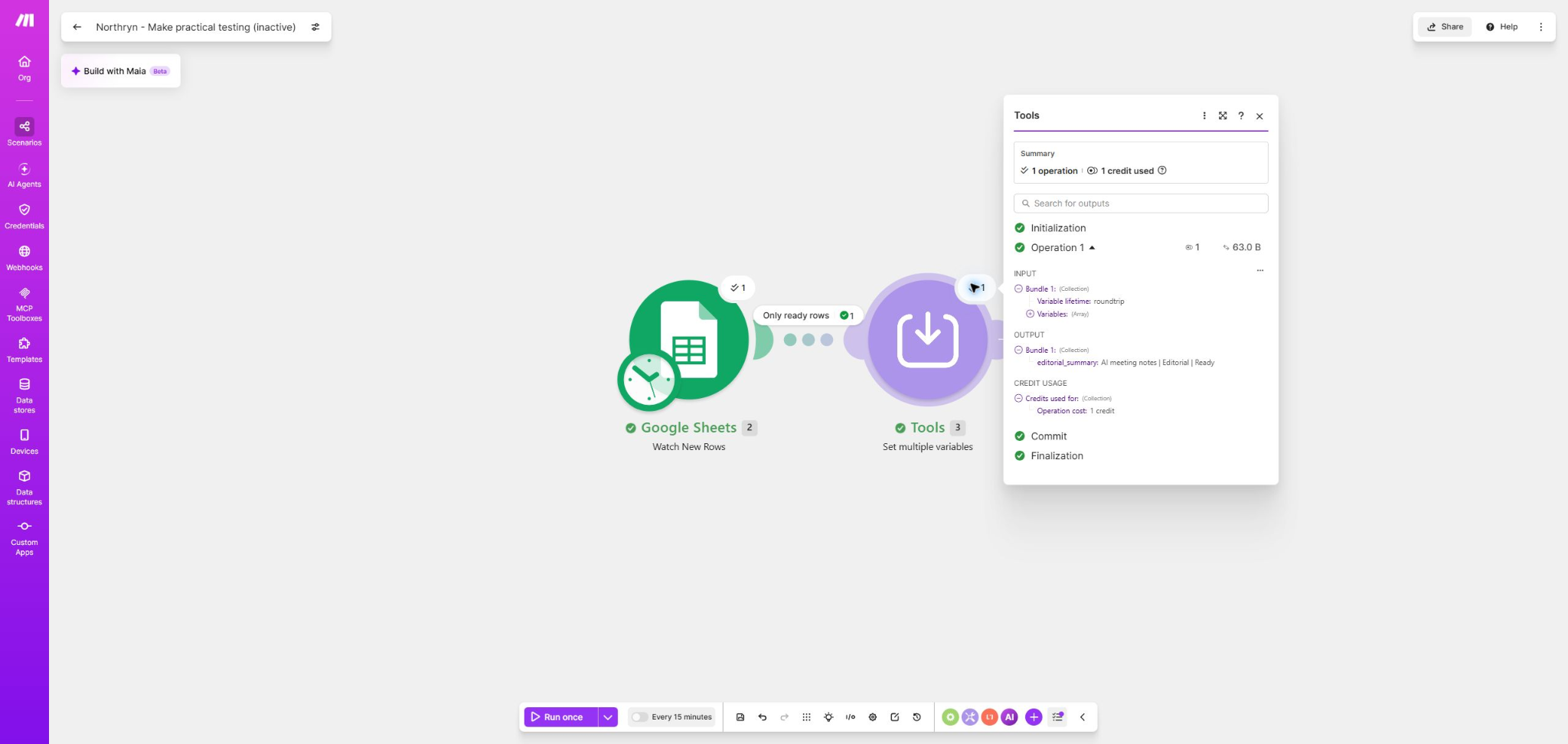
Make places modules on an open canvas. Filters appear between modules, routes remain visible and data movement can be inspected directly.
This becomes useful as complexity grows, but the interface introduces more icons, panels and concepts at once.
Zapier
Configure one guided step at a time
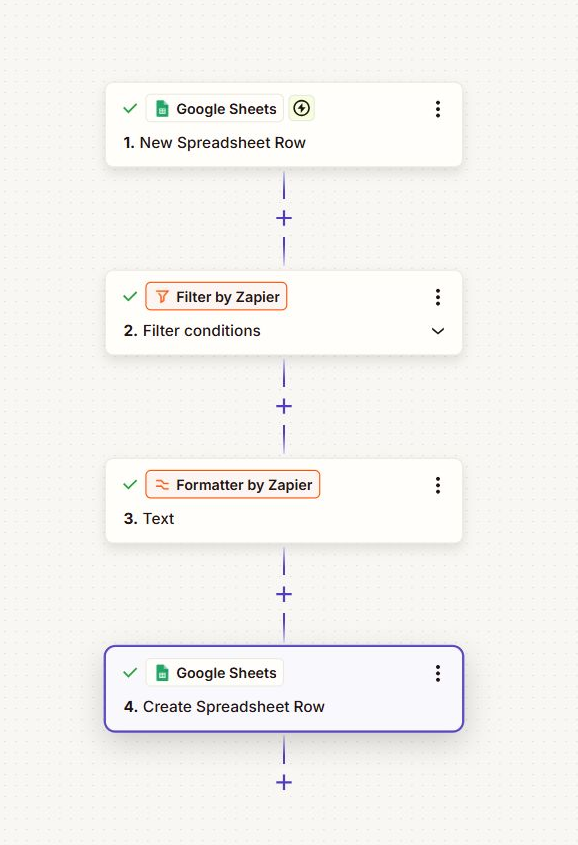
Zapier uses a consistent Setup, Configure and Test progression. The vertical structure makes a linear workflow easy to follow.
Its picker found our spreadsheet and worksheet immediately, while Make required the spreadsheet ID after its path picker returned no data.
Filters, Mapping and Debugging
Both tools applied the Ready/Draft rule correctly and recovered after we introduced an invalid worksheet.
Zapier communicated individual tests more clearly
Its filter explicitly reported whether the Zap would or would not continue. Field chips made the origin of mapped data easy to identify, and the missing worksheet error named the immediate problem.
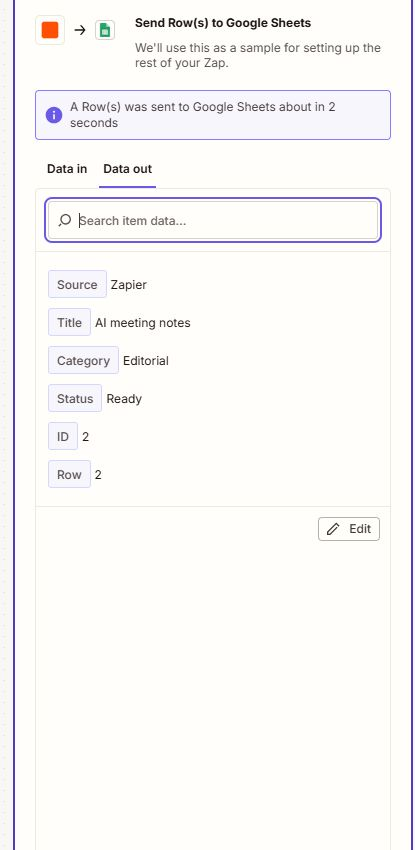
The terminal output showed the values sent to Google Sheets together with the returned row ID and number.
Make exposed more execution context
Make showed the bundle pass through the filter and continue across the complete route. Its final History record included duration, credits and transferred data.
The controlled error was more technical, but the canvas provided a clearer picture of where execution stopped.
Both platforms provide error-handling and troubleshooting functionality, but availability and limits vary by feature and plan. Check the current documentation before building a critical recovery process around a specific handler.
App Integrations
Zapier has the larger advertised catalog, but the useful question is whether your required trigger and action actually exist.
Make
3,000+ standard apps
Make also supports universal connectors and custom integrations, which can compensate for a missing native app when you have the technical confidence to configure them.
Zapier
9,000+ app integrations
Zapier has a stronger probability of offering a ready-made connection for a niche service and remains the safer choice when app coverage is the deciding factor.
These figures reflect the companies’ current advertised catalogs. Confirm that your specific trigger, action and required fields are supported before subscribing.
Pricing and Usage Economics
Make credits and Zapier tasks are different billing units. Comparing the headline allowances without modelling an actual workflow would be misleading.
Make
Lower advertised paid entry point
Free or Core from $9/month
- Free includes up to 1,000 credits/month
- Core pricing is shown from $9/month for 10k credits on the current pricing page
- Routers and filters are included on Free
- Free has a 15-minute minimum scheduled interval
- Paid plans allow scheduling down to one minute
Zapier
Higher starting price, broader ecosystem
Free or Professional from $19.99/month
- Free includes 100 tasks/month
- Free Zap workflows are limited to two steps
- Professional enables multi-step Zap workflows
- Professional starts at $19.99/month, depending on billing and task requirements
- Professional polling is currently listed at two minutes
If Make is the stronger fit for your workflow, Northryn’s Make pricing guide explains how its plans and credits affect real automation costs.
These figures are a dated snapshot, not a permanent price promise. Confirm the billing cycle, included usage and exact workflow limits on each official pricing page before paying.
AI Capabilities
Both companies are expanding beyond traditional automation, but fast-changing AI features should not be the only reason to choose a long-term platform.
Make’s AI direction
Make currently combines AI-focused tools and integrations with its visual workflow model. These capabilities are evolving quickly.
Its visual orchestration model remains the more durable reason to choose it.
Zapier’s AI direction
Zapier increasingly combines Zap workflows with AI, code, MCP and other platform capabilities.
Its broad ecosystem and guided workflow experience remain the more durable reasons to choose it.
Availability, beta status and usage rates can change. Verify the exact AI feature and billing model before building a critical workflow around it.
Which Should You Choose?
Use these decision questions instead of choosing from feature count alone.
Do you want the easiest possible starting experience?
Choose Zapier. Its linear editor and step-level feedback were easier to follow in our practical test.
Do you expect the workflow to branch or become data-heavy?
Choose Make. Its visual route, granular mapping and execution context become more useful as complexity grows.
Is a niche app connection essential?
Check both directories first. Zapier has the broader advertised catalog, but the exact trigger and action determine whether the integration is actually useful.
Is entry-level cost the main constraint?
Make currently has the lower advertised paid entry point, but estimate real executions and workflow structure because credits and tasks are not equivalent billing units.
Final recommendation
Make for visual control and growing complexity. Zapier for simplicity and coverage.
For knowledge workers and small businesses willing to learn a more visual automation environment, Make provides more room for workflows to grow. For users who prioritize a quick start, guided configuration and broad app coverage, Zapier remains easier to recommend.
Frequently Asked Questions
Is Make better than Zapier?
Make is better suited to users who value visual control, complex mapping and execution visibility. Zapier is easier to recommend when simplicity and app coverage matter more. Neither is universally better.
Which tool is easier for beginners?
Zapier. Its linear editor and consistent Setup, Configure and Test process were easier to follow during our practical comparison.
Is Make cheaper than Zapier?
Make currently has a lower advertised paid entry point. However, Make credits and Zapier tasks are calculated differently, so the meaningful comparison is the cost of your actual workflow.
Does Zapier support more apps than Make?
Zapier currently advertises more than 9,000 app integrations, while Make advertises more than 3,000 standard apps. Confirm the exact trigger, action and fields you need in both directories.
Do Make credits and Zapier tasks work the same way?
No. They are different usage models. Make generally uses credits when scenario modules perform work, while Zapier uses task-based usage across its platform and some step types can have different rates. Check current billing documentation for your actual workflow.