
Hands-on automation review
Pabbly Connect Review 2026: Is It Worth It for Automation Workflows?
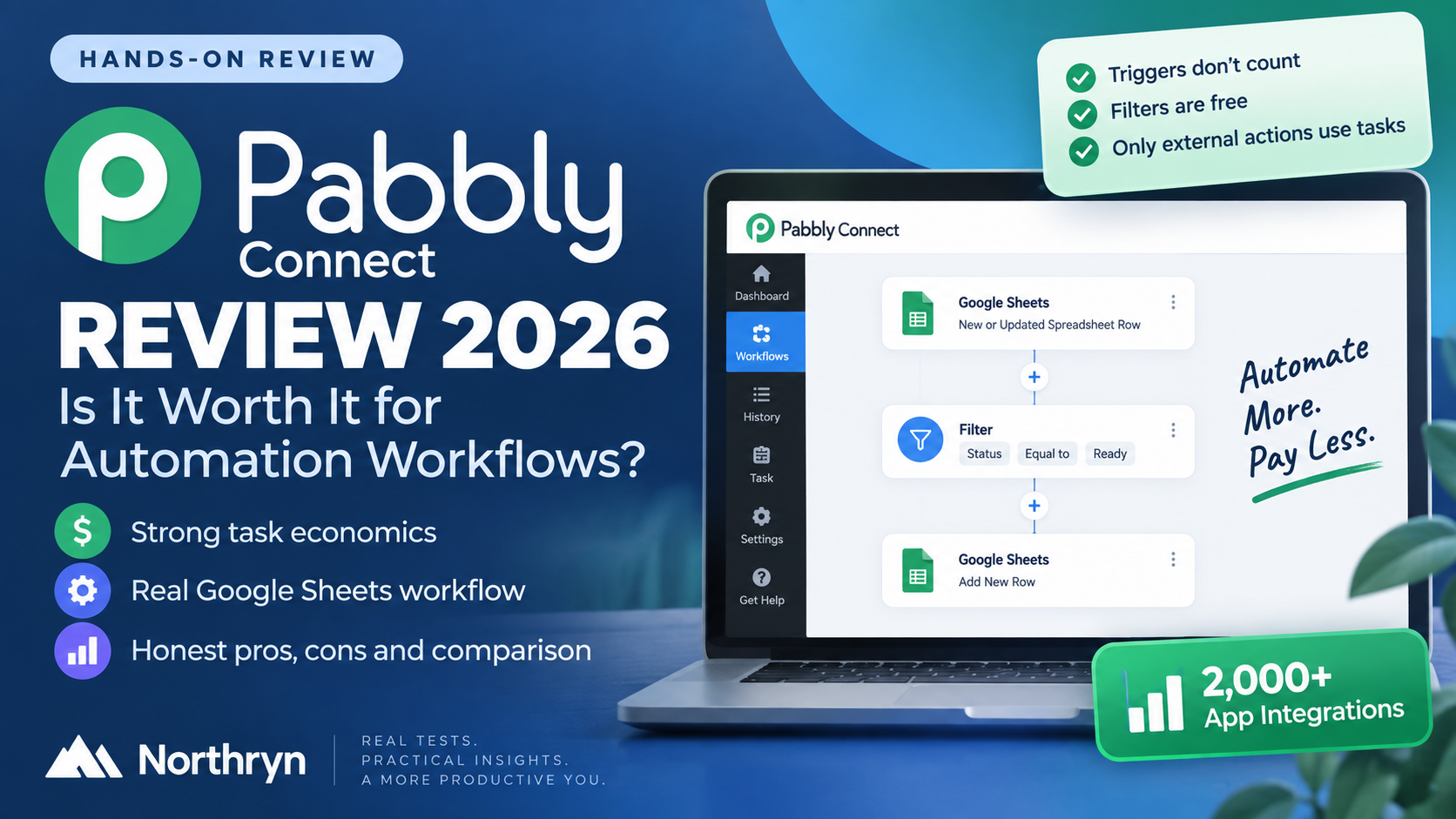
Pabbly Connect has one of the more attractive task-counting models we have tested, but it was also the least intuitive automation platform for us to configure. This review is based on a real Google Sheets workflow, including filtering, field mapping, live execution and task-history evidence.
Affiliate disclosure: This review may contain an affiliate link to Pabbly Connect. Northryn may earn a commission if you purchase through that link at no extra cost to you. Affiliate availability does not determine the conclusions below.
How this review was prepared: Northryn tested a live Google Sheets workflow using Pabbly Connect. We directly observed trigger setup, filtering, mapping, output creation, workflow execution and task consumption. Pricing and product claims are treated separately as official vendor information.
Quick verdict
Strong task economics, but the setup experience was harder than the alternatives we tested.
Pabbly Connect worked correctly once configured, and its task model was genuinely attractive in our test. The problem was getting there. Compared with Make, Zapier and Albato, the setup felt less intuitive, required more troubleshooting and exposed more implementation friction.
Best reason to choose Pabbly
You care strongly about automation economics and are willing to tolerate more setup friction in exchange for free internal steps and lower counted task usage.
Main reason to look elsewhere
You want the smoothest builder, the clearest onboarding or the easiest experience for creating simple workflows quickly.
Pabbly Connect at a Glance
The trade-off is unusually clear: attractive usage economics versus a less polished setup experience.
| Area | What Northryn found | Assessment |
|---|---|---|
| Workflow capability | Completed the tested trigger → filter → action workflow successfully. | Strong |
| Ease of setup | More friction and troubleshooting than Make, Zapier or Albato in our practical testing. | Weakest area |
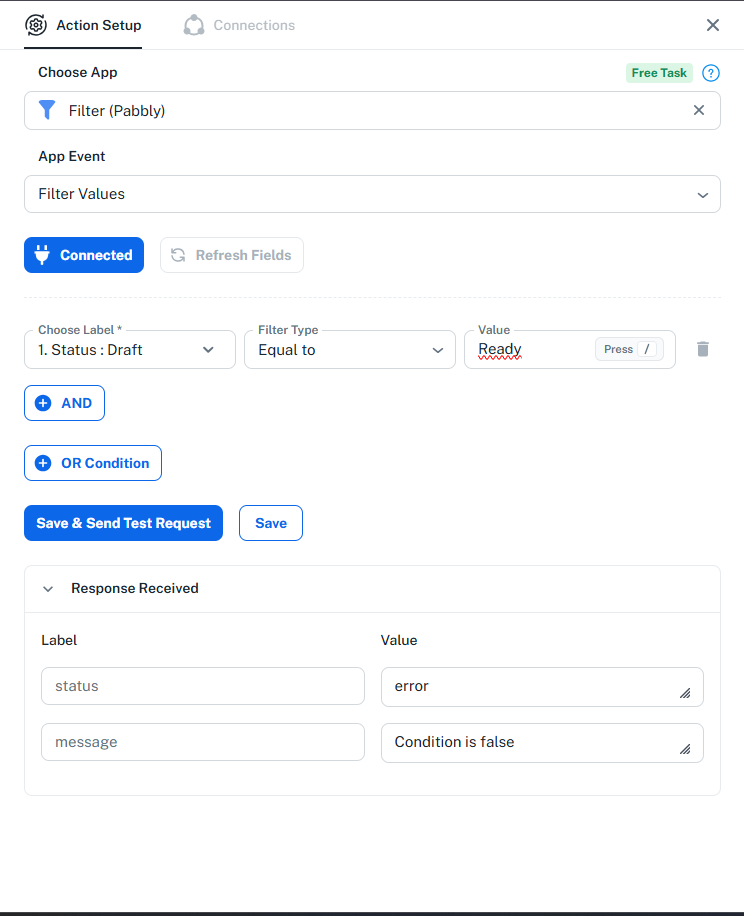
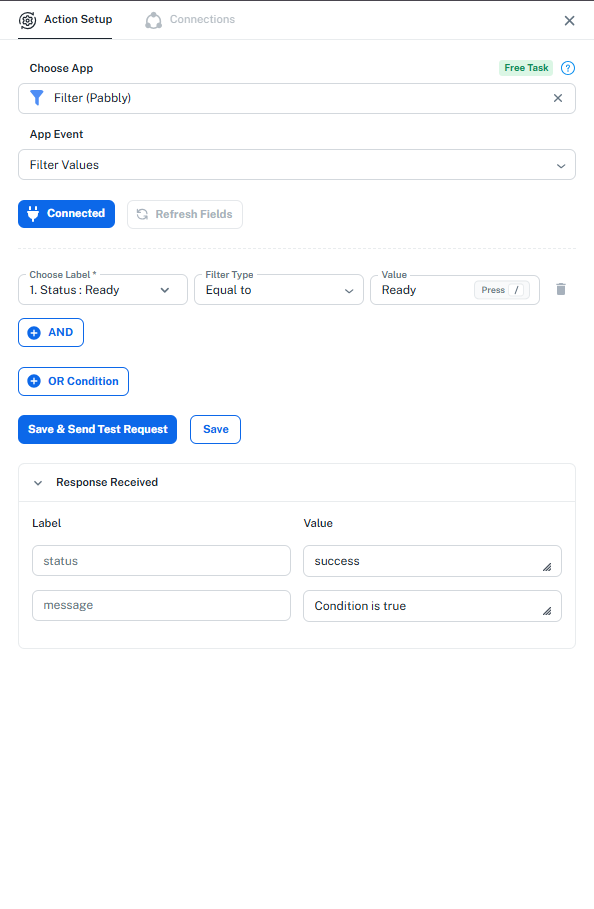
| Filter behaviour | Correctly blocked Draft and passed Ready. | Strong |
| Task economics | Only the final external Google Sheets action consumed one counted task in our live workflow. | Excellent |
| History visibility | Paid tasks and free internal steps were separated clearly in Task History. | Useful |
| App ecosystem | Pabbly currently advertises more than 2,000 app integrations. | Broad |
| Best fit | Cost-conscious users comfortable spending more time troubleshooting setup details. | Specific audience |
What Northryn Actually Tested
We used the same general Google Sheets use case already used to evaluate other automation platforms.
Test workflow
The source spreadsheet contained Title, Category and Status fields.
The workflow needed to react to a row update, allow only rows marked
Ready, and write the approved data into a Results sheet.
Google Sheets update → Status = Ready → Filter (Pabbly) → Add New Row
Negative filter test
Positive filter test
Setup Experience: This Was the Main Weakness
Pabbly ultimately completed the workflow, but the configuration process created more friction than the result itself.
The trigger setup was not obvious
In the Google Sheets add-on, the Trigger Column needed to be entered
as the column letter C, not the header name
Status. Using the header name caused webhook capture
to fail.
Once the trigger column was changed to C, the webhook
captured the row correctly.
Live testing required several separate concepts
We had to distinguish between recapturing the webhook, running a manual action test, turning the workflow on and triggering a genuine live execution.
None of these steps was individually difficult, but together they made the workflow feel less straightforward than comparable tests in other platforms.
Task Economics: Pabbly’s Strongest Advantage
The live execution produced one of the most useful findings in the test.
What Pabbly recorded
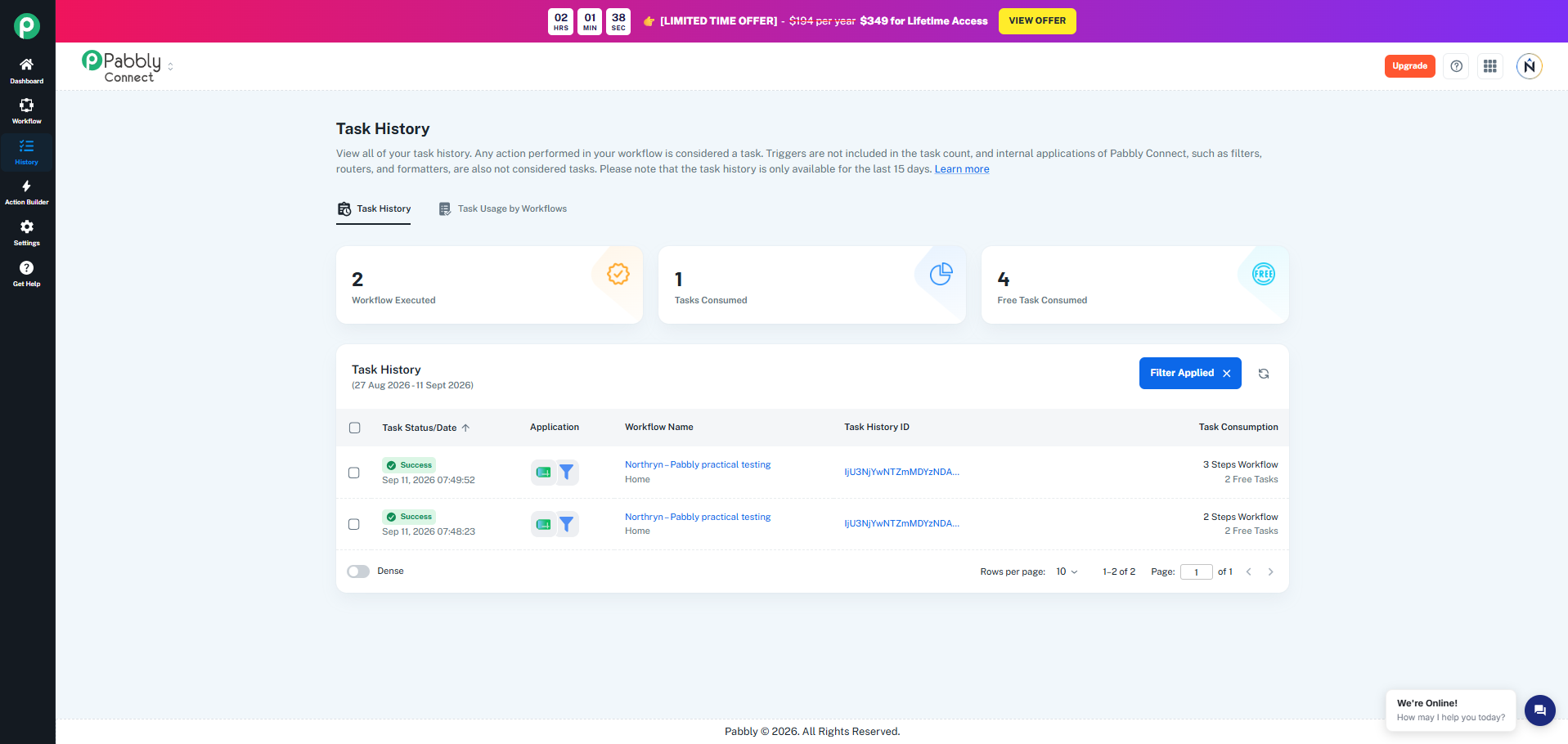
After we triggered the workflow from Google Sheets, Pabbly History showed:
- 2 workflow executions
- 1 counted task consumed
- 4 free tasks consumed
One execution stopped at the filter. The successful Ready execution continued to the external Google Sheets action.
Why that matters
In the successful workflow, the trigger and Pabbly Filter appeared as free steps while the external Google Sheets output accounted for the counted task.
This matched Pabbly’s official task-counting model for this use case.
Live task usage
How Pabbly Counts Tasks
Pabbly’s official model is one of the main reasons the platform can look attractive on cost.
Pabbly states that triggers are not included in the task count and that internal applications such as Filter, Router and Formatter are also not counted as paid tasks. External actions are what typically consume the task allowance.
That official rule was consistent with what we observed in our live Google Sheets workflow.
Pricing and Current Plans
Pabbly’s pricing can look especially attractive at higher automation volumes, but the company runs annual, promotional and lifetime offers. Always verify the current checkout before making a long-term decision.
Standard
10,000 tasks/month
- Unlimited workflows
- Unlimited team members
- Unlimited internal free tasks
- Multi-step workflows
- Filters and routers
- Current price depends on billing cycle and promotion
Pro
20,000 tasks/month
- Unlimited workflows
- Unlimited team members
- Unlimited app connections
- Internal steps remain free
- Additional advanced automation capabilities
- Current price depends on billing cycle and promotion
Pabbly Connect vs Make, Zapier and Albato
Our practical testing suggests that each platform solves a different part of the usability, control and cost trade-off.
| Platform | Strongest reason to choose it | Main trade-off |
|---|---|---|
| Make | Visual control and room for complex workflows | Steeper learning curve |
| Zapier | Ease of use and broad app coverage | Task economics can become expensive |
| Albato | Straightforward direct automations and accessible workflow building | Less depth for more advanced workflow needs |
| Pabbly | Attractive task economics and free internal steps | Least intuitive setup in our testing |
Who Should Use Pabbly Connect?
Pabbly makes sense if
- You care strongly about task economics.
- Your workflows contain several internal logic steps.
- You are comfortable troubleshooting setup details.
- You value generous workflow limits over interface polish.
- You are prepared to spend more time learning the platform.
Consider an alternative if
- You want the easiest possible first automation.
- You prefer highly guided workflow setup.
- You dislike configuration friction.
- Your workflows are simple enough that task economics are not critical.
- You value builder clarity more than maximum value per task.
Final recommendation
Pabbly Connect is worth considering for value-focused users, but not because it is the easiest automation platform.
The workflow worked, the filter behaved correctly and the task economics were genuinely attractive. But compared with the other automation tools we tested, Pabbly required more troubleshooting and felt less intuitive.
If saving tasks matters more to you than having the smoothest builder, that trade-off may be worthwhile. If ease of use is your priority, Make, Zapier or Albato may be easier starting points depending on the workflow.
Frequently Asked Questions
Is Pabbly Connect easy to use?
It can become manageable once configured, but Northryn found it less intuitive than Make, Zapier and Albato during comparable practical testing. Trigger setup and live execution required more troubleshooting.
Does Pabbly Connect charge for filters?
Pabbly currently states that internal tools such as Filter, Router and Formatter do not count toward paid task usage. In our live test, the Filter appeared under free task consumption.
Do Pabbly triggers consume tasks?
Pabbly states that triggers do not count as paid tasks. Our live workflow was consistent with that model.
Is Pabbly Connect cheaper than Zapier or Make?
It can be attractive because internal steps do not count as paid tasks, but direct comparisons are difficult because each platform uses a different billing unit. Model your actual workflow rather than comparing headline task or credit allowances alone.
Who is Pabbly Connect best for?
It is best suited to users who prioritize task economics and are comfortable accepting more setup friction in exchange for generous automation limits.